
Technologically Advanced Wedding Venue: Features That Truly Wow
You want a celebration that feels effortless, immersive, and unforgettable. A technologically advanced wedding venue makes that possible—blending design, lighting, sound, connectivity, and guest-friendly tools into one seamless day. This complete guide explains what to look for, how it all works, and the checklists you can bring to any walkthrough.
- Learn the essentials that define a technologically advanced wedding venue
- Spot the lighting, audio, video, and network features that guests notice
- Use practical site-visit checklists and vendor coordination tips
- See real-world examples you can adapt without fuss or gimmicks
Quick Answer
A technologically advanced wedding venue integrates smart lighting, pro audio/video, dependable Wi‑Fi, and flexible power so every moment feels intentional. Across the United States, use this guide from My Business to evaluate venues with quick demos, simple checklists, and rehearsal cues that keep your timeline smooth and guest experience elevated.
Quick Summary
- Core idea: The best wedding tech is invisible—guests feel it, even if they can’t name it.
- What matters most: Reliable power, strong Wi‑Fi, clean audio, flattering lighting, and easy vendor patch points.
- How to choose: Map tech to your top 5–7 “show moments,” request a live demo, and confirm backups.
- Outcome: Crisp vows, on-time transitions, cinematic photos/video, and a dance floor that stays packed.
What Is a Technologically Advanced Wedding Venue?
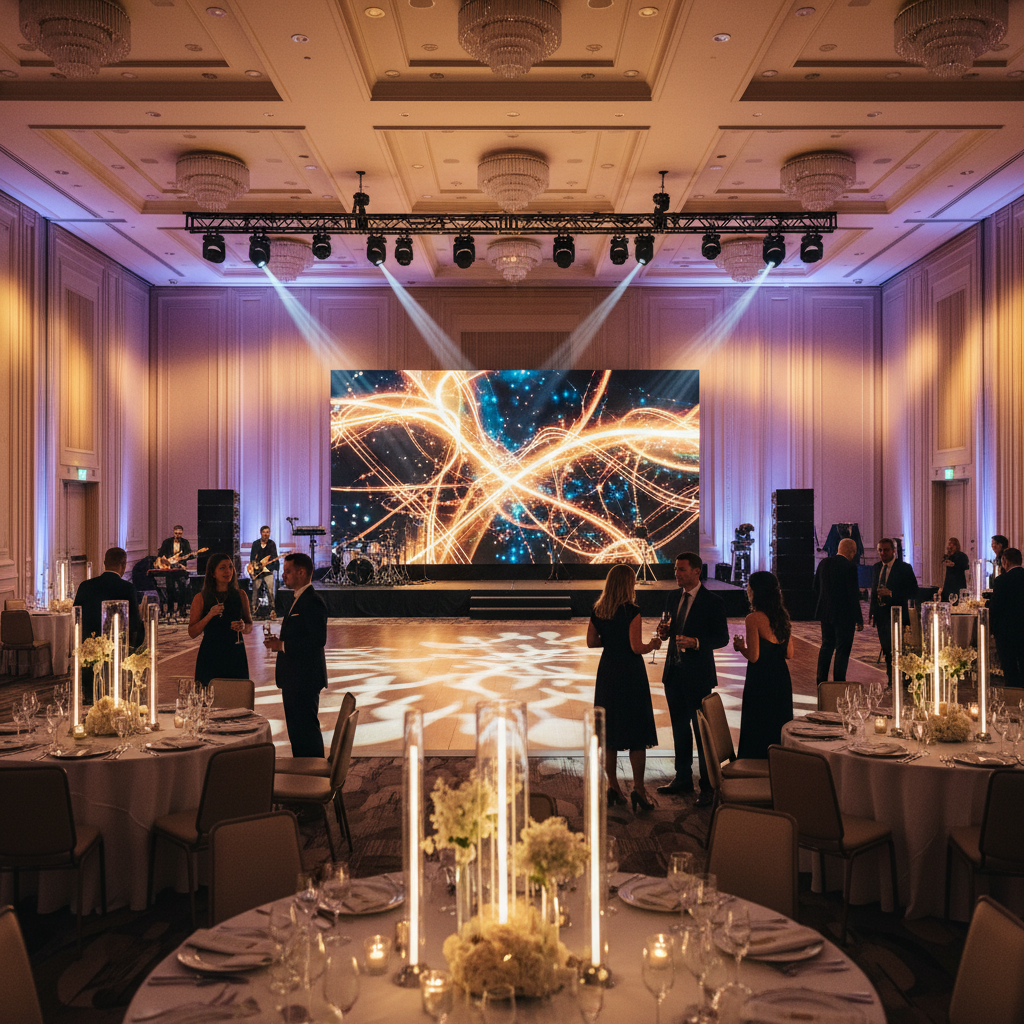
A technologically advanced wedding venue is a property designed with built‑in infrastructure that supports modern event production without heavy temporary gear. It’s not about flashy gimmicks—it’s about reliability and flexibility that make your day easier.
- Integrated lighting: Programmable LED uplights, moving heads, and zones controlled by a console or tablet.
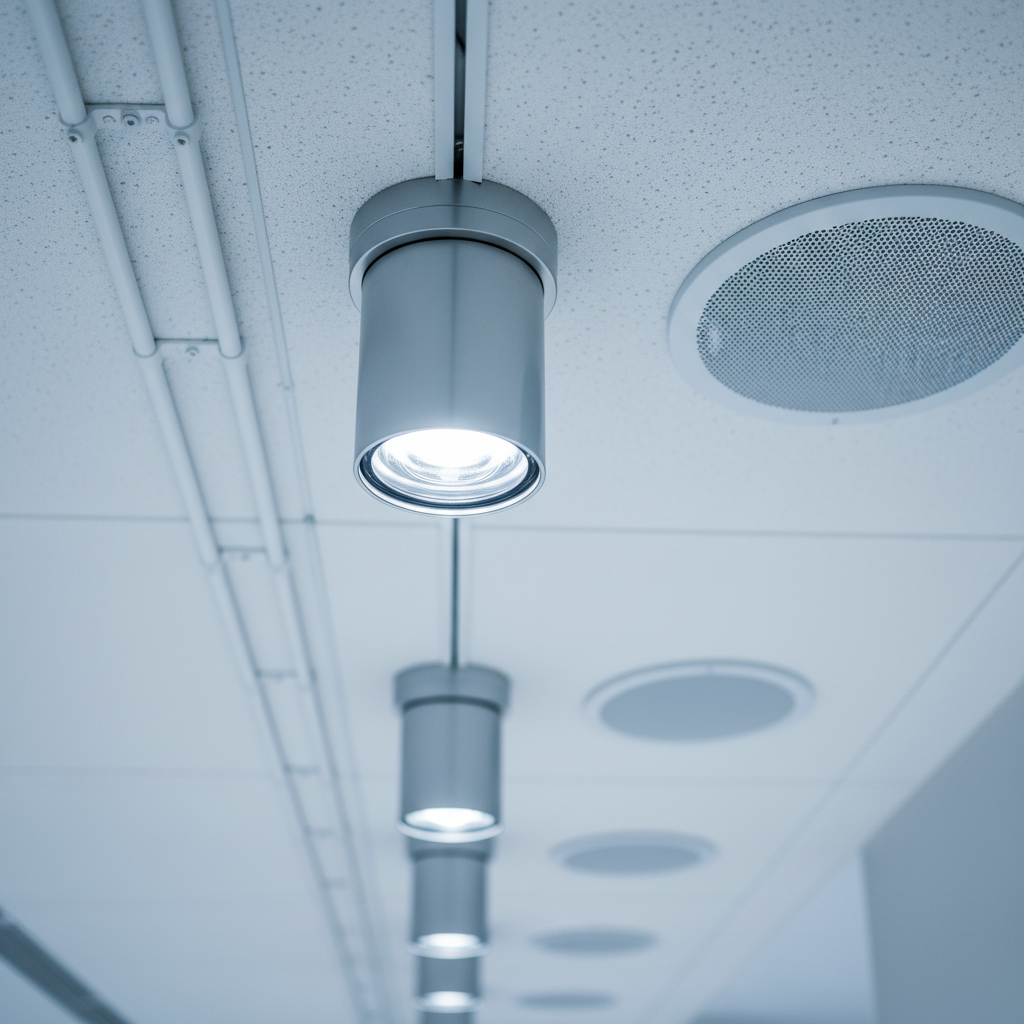
- Professional audio: Distributed speakers, high‑quality microphones, and a mixer with feedback control and DSP.
- Visual systems: LED walls or bright projectors, confidence monitors, and sensible screen placement.
- Connectivity: Secure, high‑capacity Wi‑Fi plus wired drops so vendors can stream or upload reliably.
- Power & safety: Clean, dedicated AV circuits, battery backups, and clear cable management.
- Guest‑friendly tech: Wayfinding screens, digital seating charts, and convenient charging stations.
- Back‑of‑house: Cable paths, rigging points, storage, and a control booth with line of sight to the action.
Why It Matters
When the tech backbone is solid, everything else becomes easier—for you, your guests, and your vendor team.
- Storytelling power: Crisp audio and cinematic visuals make vows, toasts, and dances feel epic.
- Smoother timelines: Fast cues and fewer troubleshooting delays keep the energy up.
- Hybrid‑ready: Livestreams and remote speeches include loved ones who can’t travel.
- Vendor synergy: DJs, bands, and filmmakers plug in quickly and focus on performance.
- Comfort and access: Even sound coverage and adjustable lighting help every guest enjoy the night.
- Sustainability: Efficient LEDs and reduced rental transport lower the event footprint.
How the Technology Works (Plain English)
You don’t need to be an engineer. Focus on the pillars that keep events stable.
- Power planning: Separate circuits for lighting, audio, and kitchen. Ask about amperage per zone, clean power, and UPS coverage.
- Network readiness: Enterprise Wi‑Fi with a guest SSID and a locked vendor network; wired ports for critical uplinks.
- Signal flow: Clear paths from control booth to stage and screens; documented patch sheets.
- Acoustics: Sound treatment reduces reverb; distributed speakers provide even coverage without hotspots.
- Rigging & safety: Certified points for lighting and decor; cable ramps and safety tape to prevent trips.
- Control & automation: Preprogrammed scenes for ceremony, dinner, speeches, and dancing—switched in seconds.
Types and Approaches
Not every property is built the same way. You can still deliver a modern experience with different setups.
- Turnkey tech venues: Built‑in LED walls, intelligent lighting, and on‑site technicians who run the board.
- Hybrid‑ready spaces: Solid power and network; bring in LED walls, mapping, or extra cameras as needed.
- Blank‑canvas + pop‑up: Mobile streaming, scenic rentals, and projection mapping create immersive looks in clean spaces.
- Outdoor ceremony + indoor reception: Battery‑assisted audio, wind‑resistant mics, and discreet cable runs make transitions smooth.
Choosing a Technologically Advanced Wedding Venue: Best Practices
Use these steps on every tour and walkthrough. They keep conversations focused and productive.
- Define your show moments: Aisle walk, vows, first dance, grand entrance, speeches, cake, last song, send‑off.
- Map tech to moments: Which features serve each moment? (e.g., wireless lavs for vows, spotlight + haze for first dance.)
- Validate infrastructure: Ask for a floor plan showing power drops, rigging points, Wi‑Fi access points, and control booth.
- Request a live demo: See lighting scenes, audio coverage, screen brightness, and transitions between looks.
- Confirm on‑site support: Who runs sound and lights? What’s the backup plan and escalation path?
- Set redundancy: Backup mics, spare cables, extra playback devices, and UPS power for critical gear.
- Time the cues: Rehearse music, lighting, and door cues; add 10‑minute buffers at key transitions.
- Align vendors: Share diagrams, cue sheets, and load‑in logistics with DJ, band, and photo/video teams.
Lighting, Audio, and Visuals: What to Look For
These three systems shape how your wedding looks, sounds, and feels.
Lighting Must‑Haves
- DMX control: Operator can set scenes quickly and trigger precise hits (entrances, toasts).
- Tunable white: Adjust color temperature so skin tones look natural in photos and video.
- Dance‑floor effects: Intelligent fixtures elevate energy without blinding guests.
- Practical accenting: Pinspots for centerpieces, tasteful bistro strings for ambiance, and safe path lighting.
Audio Essentials
- Mic inventory: Quality handheld and lavalier mics; extras ready to swap if batteries dip.
- Even coverage: Distributed speakers keep speeches clear at tables without blasting the back wall.
- Feedback control: DSP and good mic technique reduce squeals and harshness.
- Band/DJ patching: Clearly labeled inputs and a friendly house engineer save setup time.
Video Options
- LED wall vs projector: LED walls cut through ambient light; projectors need darker rooms but can map creative surfaces.
- Confidence monitor: A small screen near the stage helps toasters keep eye contact with guests.
- Camera positions: Plan angles that avoid blocking sightlines—and allow clean cable paths.
Guest Experience Technology (That People Actually Use)
Focus on features guests notice and enjoy—not complicated novelties.
- Livestream station: Fixed camera + encoder with a small monitor for remote viewers and quick checks.
- Digital seating & wayfinding: Screens at entry (or QR) that guide guests quickly to tables.
- Charging access: Subtle charging towers near lounge zones; cable baskets at photo booths.
- Interactive photos: AR photo booth or 360 spinner with safe floor markers and tidy cable runs.
- Augmented moments: Cold‑spark fountains or timed lighting hits for entrances and last dances.
Connectivity and Power: The Hidden Backbone
If Wi‑Fi falters or power trips, everything else suffers. Verify the backbone early.
- Wi‑Fi questions: Guest capacity, throttling policy, and whether vendors can get a wired port.
- Coverage map: Are ceremony and reception spaces both covered? Any known dead zones?
- Power map: Dedicated AV circuits, kitchen loads, and outdoor outlets for ceremonies.
- Backup plan: UPS/battery for routers, mic receivers, playback devices, and key lights; generator standby if needed.
Production Workflow and Vendor Coordination
Clarity reduces stress and keeps your day on time.
- Load‑in logistics: Dock access, elevator dimensions, floor protection policies, and parking.
- Patch sheets: Clean input/output labels for audio, video, and lighting—shared early with vendors.
- Rehearsal windows: Sound checks, camera blocking, and lighting looks signed off before doors.
- Quiet zones: Control fan noise from projectors and racks; keep HVAC noise off mics.
- Comms: Headsets or IFB so DJ, lighting, and coordinator hit cues together.
Room Layout, Sightlines, and Acoustics
Great tech still needs a smart layout. Use these prompts to keep every seat a good seat.
- Sightline map: Place screens where heads and columns won’t block views; test from the back row.
- Stage height: Enough elevation for toasts and performances without isolating speakers.
- Speaker zones: Even coverage for speeches; extra sub energy only when dancing starts.
- Dance floor placement: Center of the room or near the head table keeps energy focused.
- Acoustic treatments: Drapes, soft furnishings, and wall panels tame reverb for clearer vows.
Privacy, Safety, and House Rules
Modern tech should respect comfort, safety, and policies.
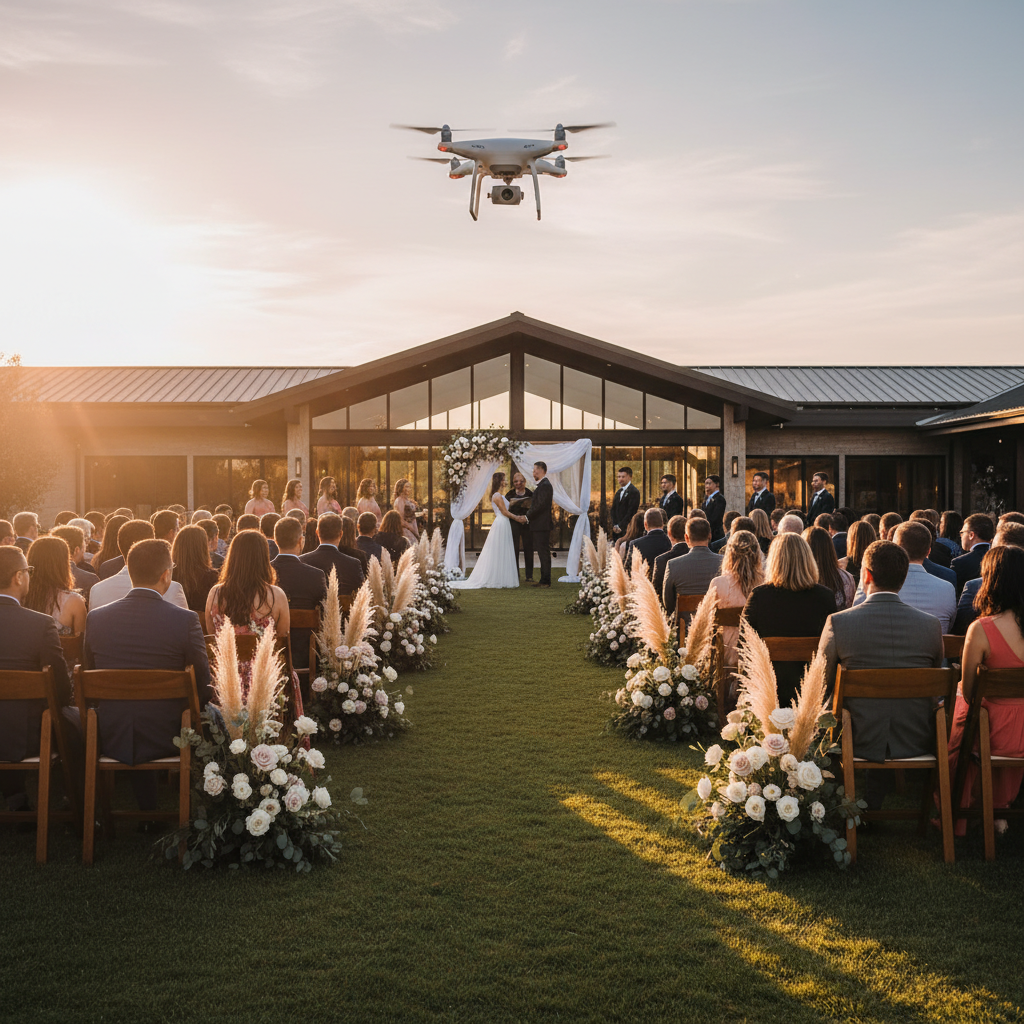
- Drone policies: Confirm airspace rules, flight paths, and guest communication about aerial shots.
- Haze/fog: If allowed, coordinate with HVAC so alarms don’t trigger during the first dance.
- Photo consent: Consider signage at photo booths and livestream areas that explains recording.
- Accessibility: Ensure lighting levels, ramps, and audio support help every guest participate.
- Noise ordinances: Clarify quiet hours, bass limits, and solutions like silent disco.
Comparisons and Process Tables
Popular Tech Features and Where They Shine
| Feature | Best For | Ask the Venue | Common Specs |
|---|---|---|---|
| LED Wall | Motion graphics, same‑day edits, dynamic backdrops | Nits (brightness), pixel pitch, operator support | ≥ 800 nits for ambient light; 2.6–3.9mm pixel pitch |
| Projection Mapping | Immersive decor on walls, cakes, or sets | Lumens, throw distance, ambient light control | 10k–20k lumens for medium rooms |
| Intelligent Lighting | Entrances, first dance, dance‑floor energy | Number of fixtures, rigging points, haze policy | DMX control with scene presets |
| Distributed Audio | Clear speeches without hot spots | Speaker zones, mic inventory, feedback control | Line array or ceiling speakers with DSP |
| Livestream Support | Remote guests and virtual toasts | Uplink bandwidth, wired ports, camera positions | Dedicated vendor network + encoder |
| Interactive Booths | Shareable guest moments | Footprint, power needs, cable routes | AR/360 with safe floor markers |
Site Visit: 7‑Step Process
| Step | What to Do | What to Ask | Proof/Demo |
|---|---|---|---|
| 1 | Define show moments | Which 5–7 moments need tech support? | A written list with priority notes |
| 2 | Power & network check | Where are dedicated AV circuits and wired drops? | Annotated floor plan; quick speed test |
| 3 | Lighting demo | Can we see ceremony, dinner, and dance scenes? | Operator cycles through presets |
| 4 | Audio coverage walk | Is speech volume even across the room? | Walk the space during music/playback |
| 5 | Video check | Screen brightness and sightlines from back tables? | Short video clip on screens |
| 6 | Vendor patch points | Clear I/O labeling for DJ/band/cameras? | Patch sheet with ports highlighted |
| 7 | Backup & support | Who runs cues? What happens if gear fails? | Contact tree and spare inventory list |
Case Studies and Examples (13+ Ideas)
These bite‑sized scenarios show how specific choices shape outcomes you can feel.
- LED wall reveal: A same‑day edit plays behind the first dance—guests cheer as the story unfolds in real time.
- Split‑zone audio: Toasts are crystal clear at tables while lounge areas stay conversation‑friendly.
- Battery‑assisted vows: Lavalier and handheld mics run on battery packs—no trip hazards in the aisle.
- Projection‑mapped entrance: Animated florals match the invitation suite as doors open for a grand reveal.
- Wired livestream uplink: Remote guests watch in HD without buffering thanks to a dedicated port.
- Preset lighting cues: Dinner, speeches, and dancing shift with one‑touch scenes—no awkward delays.
- Silent disco after quiet hours: Headphones keep the party going while being neighbor‑friendly.
- Drone establishing shots: Sunset aerials set the tone for the film’s opening sequence.
- Confidence monitor: Nervous toasters keep eye contact with guests while hitting their notes.
- Caption display: A small screen shows live captions for accessibility during vows and toasts.
- Operator on comms: Lighting and DJ coordinate through headsets—perfect timing on entrance hits.
- Charging lounge: A cozy zone with outlets keeps phones ready for photos and ride‑shares.
- Backup mic saves the moment: A spare handheld is ready when a battery dies mid‑toast—no dead air.
For inspiration on how venues present capabilities, scan examples like the dedicated weddings page from a tech‑forward hall or review a modern reception overview to see how amenities are framed online. Use these as reference points when you compare properties.
Tools and Resources
- Venue tech checklist: Power map, network capability, lighting/audio inventory, backup assets, and house rules.
- Show flow template: Cues for ceremony, toasts, special dances, doors, and last call.
- Vendor data sheet: I/O lists, load‑in routes, elevator specs, and parking notes.
- Photo & film notes: Example lighting looks and screen brightness targets for flattering tones.
- Rehearsal plan: A 30‑minute run‑through that locks music levels, mic checks, and transitions.
Local Tips
- Transit & access: In many U.S. cities, simple interstate access and clear load‑in zones save real time for vendor trucks and shuttle buses.
- Seasonal planning: For summer heat or winter storms, ask about indoor ceremony backups and weather‑resilient audio that handles wind.
- Noise policies: If your venue sits near neighborhoods or downtown districts, confirm quiet‑hour rules and options like silent disco.
IMPORTANT: Bring these questions to your walkthrough so your layout, timeline, and vendor plans match local conditions.
FAQ
- How do I know if a venue’s Wi‑Fi is strong enough?
- Ask for the guest capacity, throttling policy, and whether vendors can get a wired connection. Request a speed test in ceremony and reception areas during your tour, and verify coverage maps if available.
- What’s the difference between an LED wall and a projector?
- LED walls stay bright in ambient light and support bold motion graphics. Projectors are flexible for sizes and mapping but need darker rooms and careful positioning for the best results.
- Can we livestream without it being distracting?
- Yes. Use fixed camera positions, a discreet encoder, and a wired uplink. Share the stream link on invites and provide a small monitor near the control area for quick visual checks.
- Is haze or fog safe for photos and guests?
- Venues often allow light haze to enhance lighting beams, but policies vary. Confirm HVAC settings and alarms, and ask your photographer how much atmosphere they prefer for images.
- What should be backed up with batteries?
- Routers, mic receivers, playback devices, and key lights. That keeps vows, toasts, and music continuous through brief power blips so your timeline stays intact.
Key Takeaways
- A technologically advanced wedding venue balances great design with reliable, invisible infrastructure.
- Prioritize lighting, audio, video, power, and network strength over trendy novelties.
- Use demos, maps, and rehearsal time to validate claims before the big day.
- Plan backups for mics, power, and internet to protect the moments that matter.
Next Steps
- List your top 5–7 moments and match them to lighting, audio, and visual needs.
- Book tours and request live demos that show coverage, transitions, and backup readiness.
- Share patch sheets and floor plans early so every vendor arrives ready.
- Use the checklists in this guide to confirm your choice with confidence.
Related Articles
- How to Build a Wedding Day Show Flow with Tech Cues
- Lighting Looks That Flatter Skin Tones in Real Rooms
- Livestreaming Ceremonies: A Practical, Low‑Stress Setup
- Projection Mapping vs. LED Walls for Weddings
